

Frequently Asked Questions
I just used an in-game fantasia item on a character and it will not allow me to make changes.
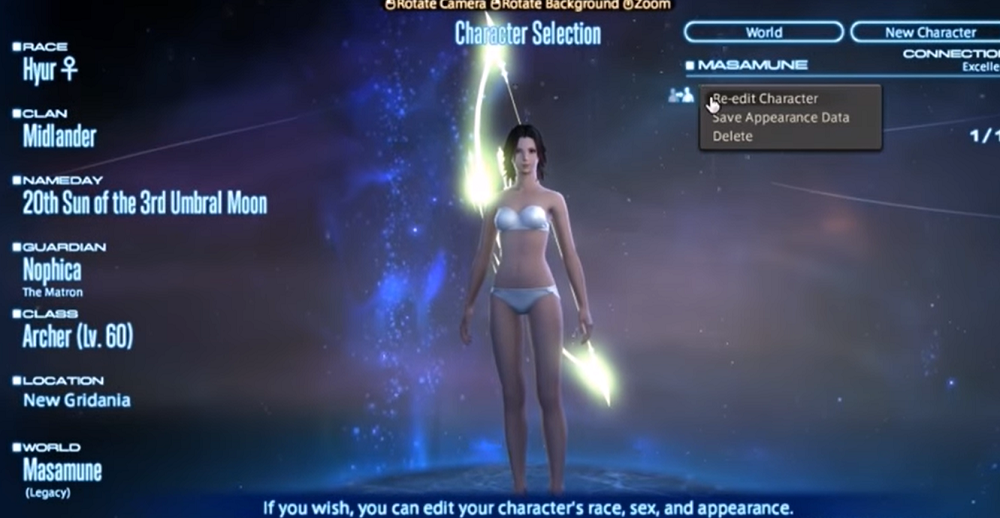
In the event you are unable to change your character's appearance after using a phial of fantasia, please do the following:
1. Log in and log out from your Home World (if you are world visiting, please return to your Home World before logging out).
2. Highlight the character on the character select screen.
3. If you are on PC/Steam/Mac, right mouse click the name and select to alter the appearance data. If you are on PlayStation®5 or PlayStation®4, use the square button to access this option.
If the steps above did not resolve the issue, we advise contacting a Game Master in game using the /supportdesk function.
FAQ Article: 79925
FAQ Category: [Product Specifications] / FAQ Sub-category: [Gameplay Procedures]
FAQ Category: [Product Specifications] / FAQ Sub-category: [Gameplay Procedures]
| Return to TOP |