

Frequently Asked Questions
How do I check a gift code's current status?
You can check the status of a gift code you purchased via the following method:
1) Log in to the Online Store (https://sqex.to/ffxivstore-na) with the Square Enix Account that created the initial purchase.
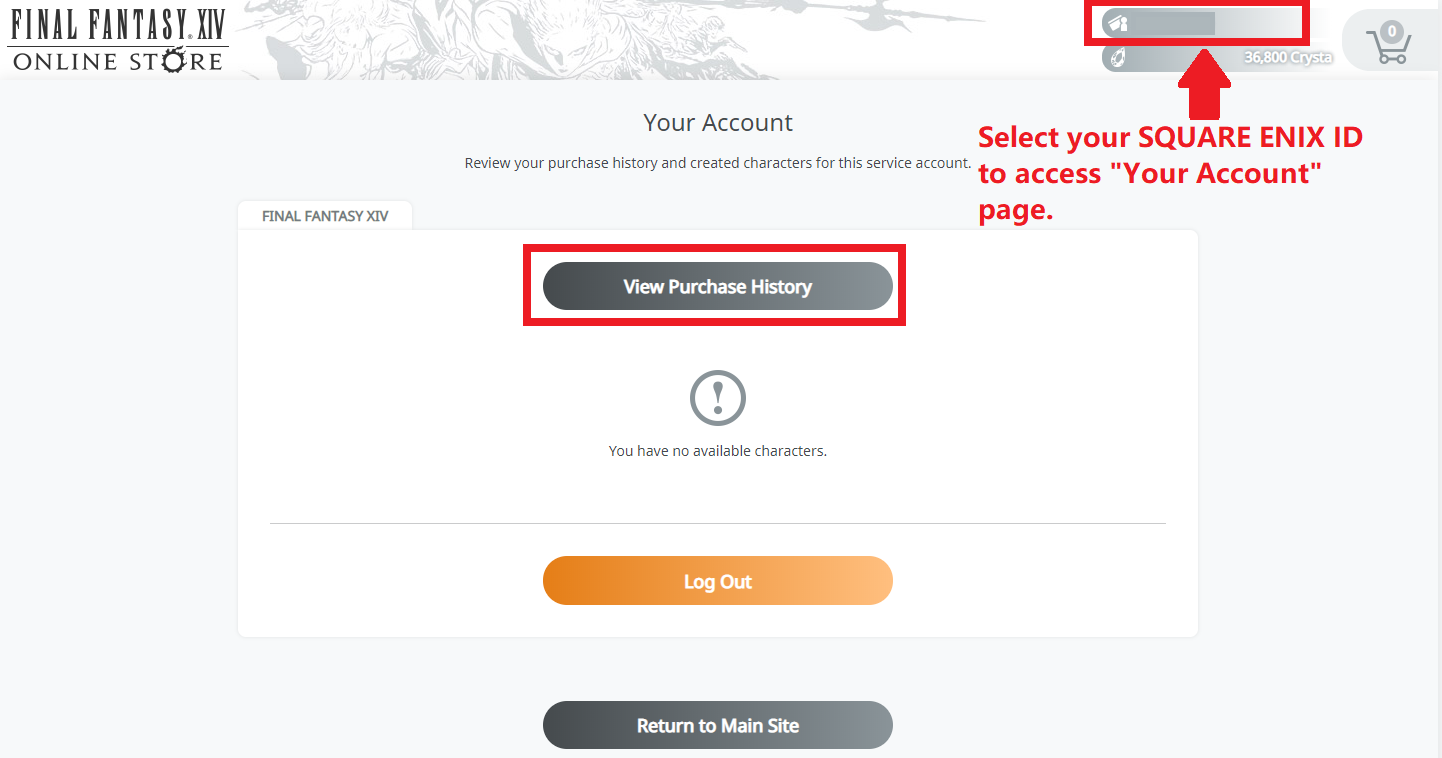
2) From the top, select "Your Account" and then "View Purchase History"
* You can also find the code within the "Payment History" section of the Mog Station.
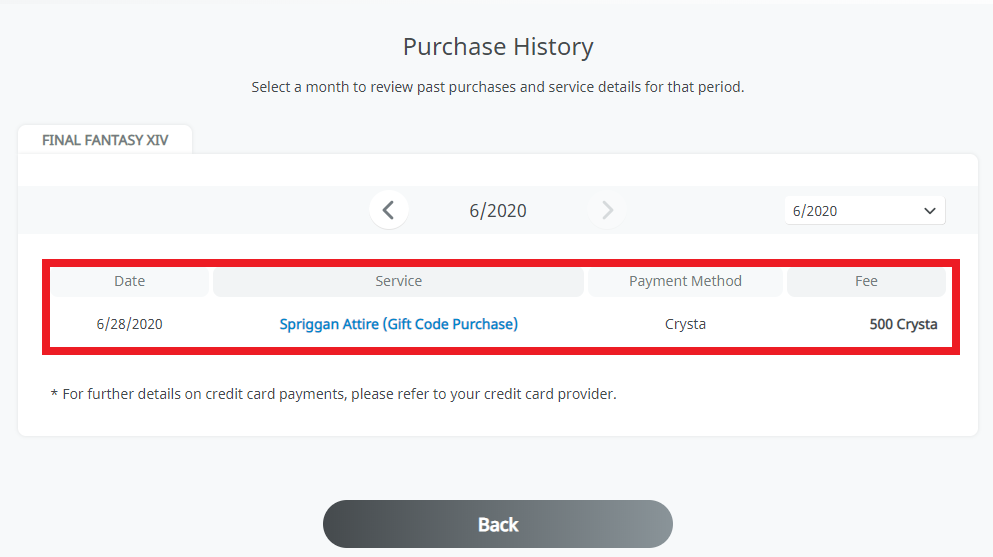
3) "Your Purchase History" will show any transaction made on the selected service account, when the transaction was made, the item purchased, the payment method, and the fee amount. To view a transaction completed in a prior month, please change the selection on the right.
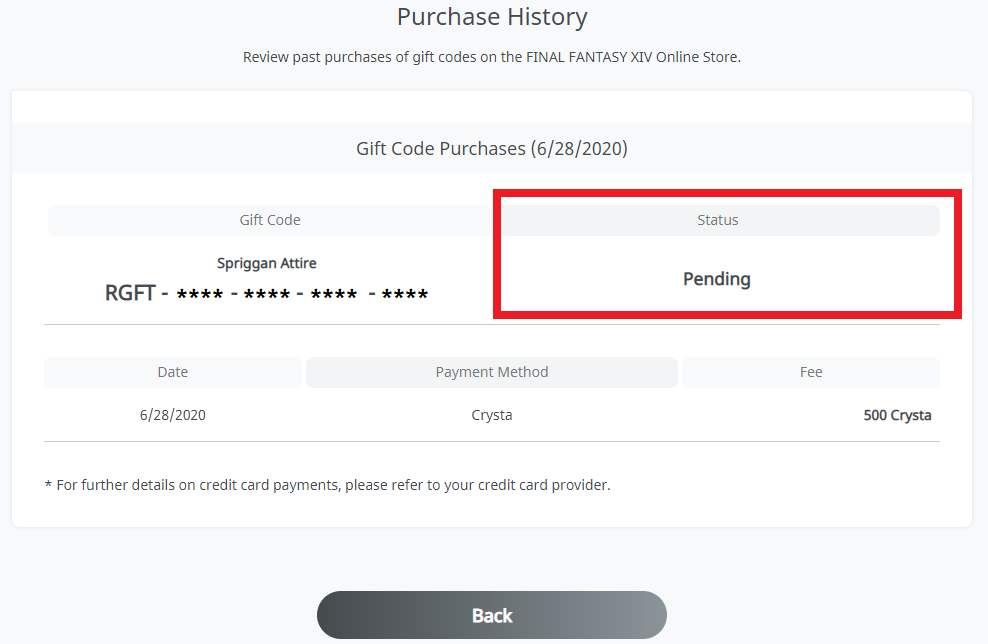
4) Clicking on a specific transaction will show additional details, such as the Gift Code and the status of the Gift (Pending/Accepted). If you choose a transaction that did not include Gift items, it will show the items purchased and any specific recipients, if applicable.
[Updated: Oct. 25, 2022]
As of October 25, 2022, a new gifting feature has been implemented in the Online Store in place of the previous gift code option.
Gift codes that were purchased prior to this change can still be redeemed until their expiration dates.
*Gift codes are valid for 180 days from the purchase date.
Please see the news below for details.
FAQ Article: 72617
FAQ Category: [Service Fee] [Official Website] / FAQ Sub-category: [Options] [Mog Station]
FAQ Category: [Service Fee] [Official Website] / FAQ Sub-category: [Options] [Mog Station]
| Return to TOP |